![qpbvjgyfsatax1w7v6mw.png]](https://knowledge.junipeer.io/hs-fs/hubfs/qpbvjgyfsatax1w7v6mw.png?width=300&height=91&name=qpbvjgyfsatax1w7v6mw.png)
Shopify – Get MyShopify URL & API Keys (Dev Dashboard)
Part 1 – Get MyShopify Domain
-
Log in to Shopify Admin
-
Go to Settings
-
Click Domains
-
Copy the
yourstore.myshopify.comURL
(This is required for the integration setup)
Example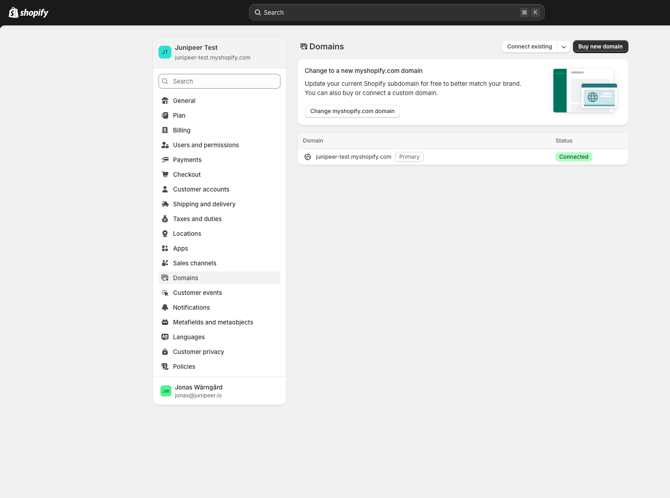
Part 2 – Create App & Get API Credentials (Dev Dashboard)
Step 1 – Enable App Development
-
Go to Settings
-
Click Apps
-
Click Develop apps
-
Click Build apps in Dev Dashboard
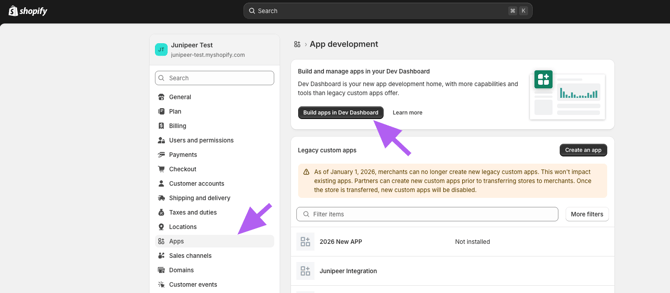
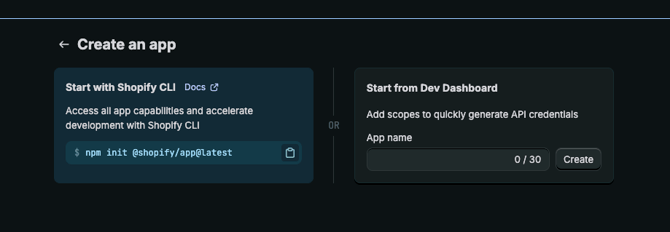
Step 2 – Create App
-
Click Create app
-
Set App name (anything, e.g.
Junipeer)

URLs
-
App URL:
https://app.junipeer.io -
✅ Check Embed app in Shopify admin
-
Webhooks API version:
Select latest (currently2026-01)
Step 3 – Add API Scopes
Paste the following into the Scopes field:
read_assigned_fulfillment_orders,write_assigned_fulfillment_orders,read_companies,write_companies,read_custom_fulfillment_services,write_custom_fulfillment_services,read_customers,write_customers,read_customer_data_erasure,write_customer_data_erasure,read_delivery_customizations,write_delivery_customizations,read_price_rules,read_discounts,write_discounts,write_draft_orders,read_draft_orders,read_fulfillment_constraint_rules,write_fulfillment_constraint_rules,read_fulfillments,write_fulfillments,read_gift_card_transactions,read_gift_cards,write_gift_cards,write_inventory,read_inventory,write_inventory_shipments,read_inventory_shipments,write_inventory_shipments_received_items,read_inventory_shipments_received_items,write_inventory_transfers,read_inventory_transfers,read_delivery_option_generators,write_delivery_option_generators,read_locales,write_locales,read_locations,read_markets,write_markets,read_markets_home,write_markets_home,read_merchant_managed_fulfillment_orders,write_merchant_managed_fulfillment_orders,read_metaobject_definitions,write_metaobject_definitions,read_metaobjects,write_metaobjects,read_online_store_navigation,write_online_store_navigation,read_online_store_pages,write_online_store_pages,write_order_edits,read_order_edits,read_orders,write_orders,read_payment_terms,write_payment_terms,read_payment_customizations,write_payment_customizations,read_product_listings,write_product_listings,read_products,write_products,read_returns,write_returns,read_shipping,read_shopify_payments_payouts,read_shopify_payments_disputes,write_shopify_payments_disputes,read_store_credit_account_transactions,write_store_credit_account_transactions,read_store_credit_accounts,read_third_party_fulfillment_orders,write_third_party_fulfillment_orders,read_translations,write_translations,read_shopify_payments_accounts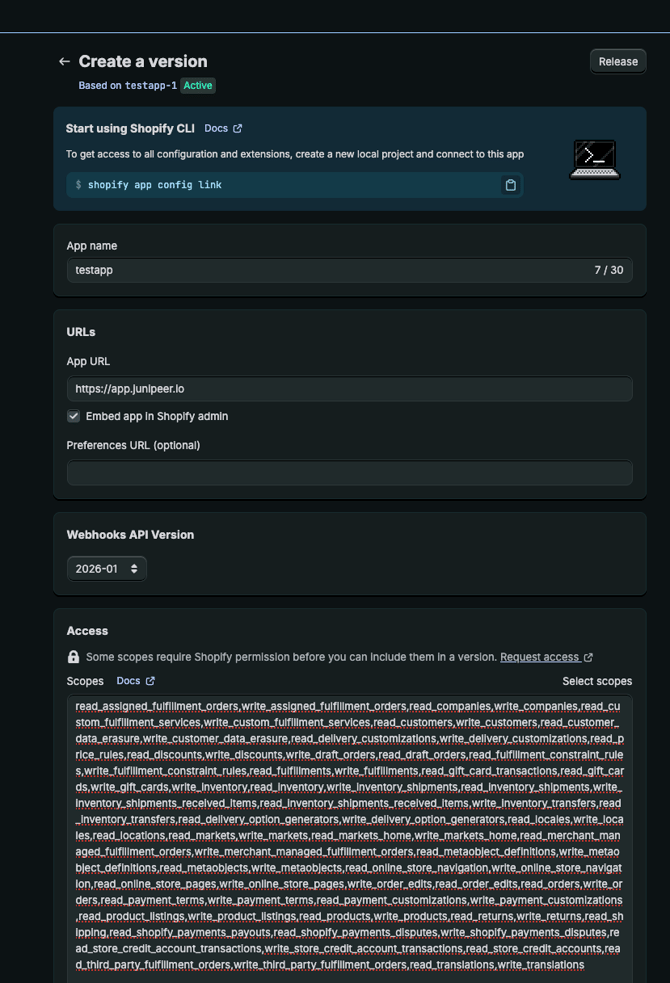
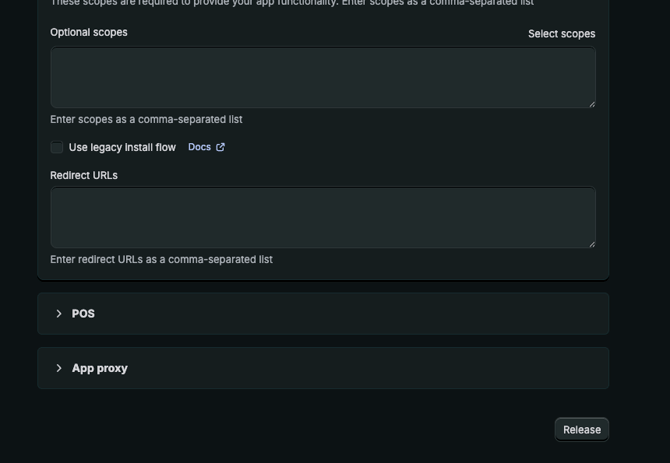
Step 4 – Release App
-
Click Release
-
Click Release again to confirm
-
Go to Home
Step 5 – Install App
-
Click Install app
-
Choose the store to integrate
-
Confirm installation
Step 6 – Get API Keys
-
Go to Settings inside the app
-
Copy:
-
Client ID
-
Client Secret
These are the credentials required for Junipeer.