![qpbvjgyfsatax1w7v6mw.png]](https://knowledge.junipeer.io/hs-fs/hubfs/qpbvjgyfsatax1w7v6mw.png?width=300&height=91&name=qpbvjgyfsatax1w7v6mw.png)
1. Create a Fortnox user with the correct permissions
Fortnox Guide:
https://support.fortnox.se/hantera-fortnox/administrera-anvandare/administrera-anvandare
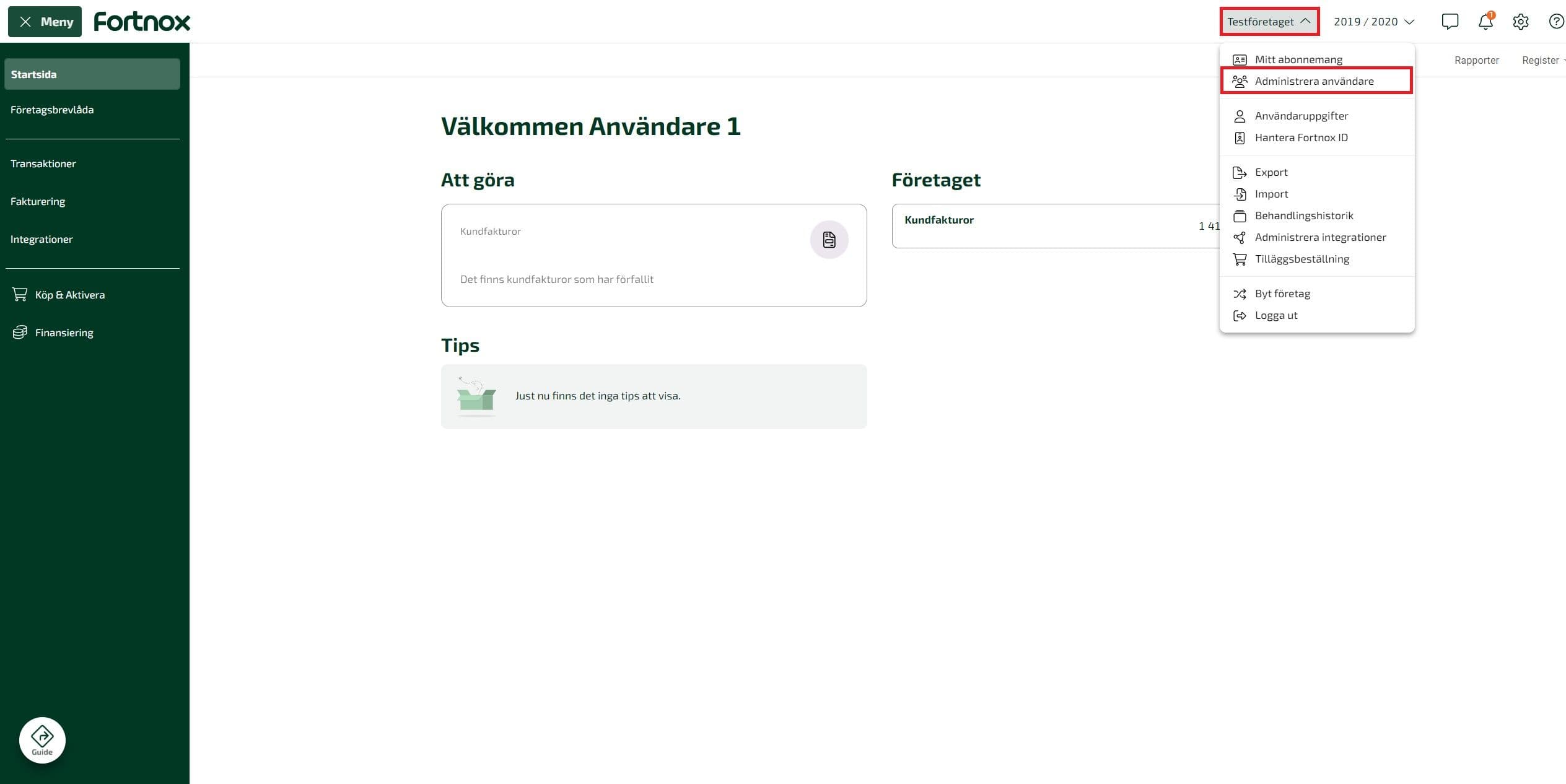
1a. Administer users
Create or select the user that will be used for the integration.
1b. Add licenses for integration and:
-
Orders
-
Invoices
-
Accounting
-
Integration
1c. Assign licenses to the user and enable all required permissions
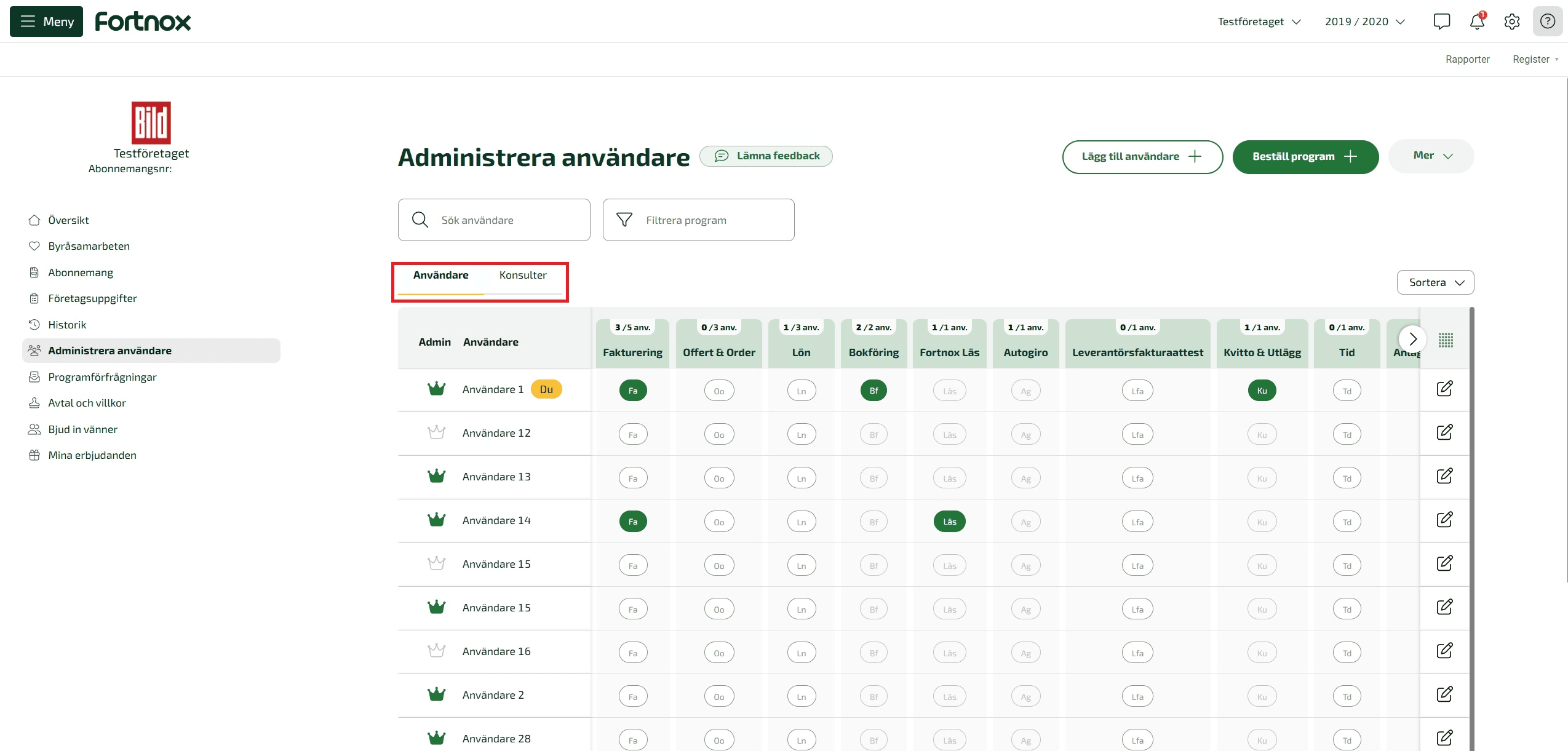
Ensure the integration user has continuous access to all modules needed by the integration.
Important: Do not modify or delete this user after integration setup. Changing permissions, licenses, or the user itself will cause the integration to stop working.
2. Add all currencies and enable automatic currency rate updates
You must add all currencies you will transact in and enable automatic exchange rate updates to ensure accurate accounting and invoicing.
Fortnox Guide:
https://support.fortnox.se/produkthjalp/fakturering/installningar-valuta
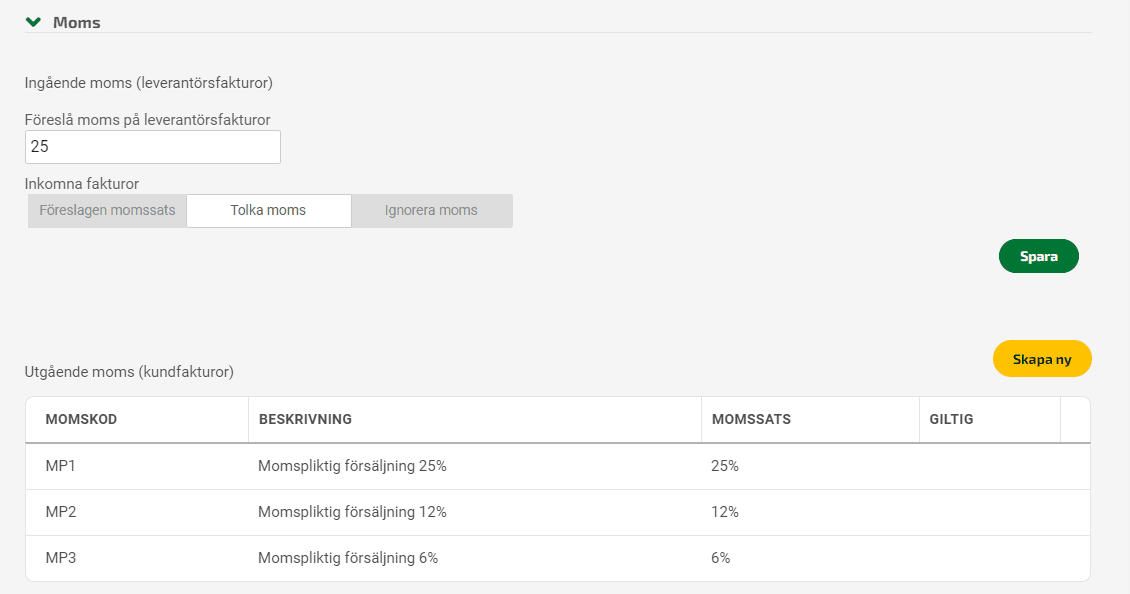
3. Set up all VAT rates
Review and configure all VAT rates required for your sales markets.
Fortnox Guide:
https://support.fortnox.se/produkthjalp/bokforing/installningar-moms
4. Set up Sales accounts and VAT mapping for EU OSS
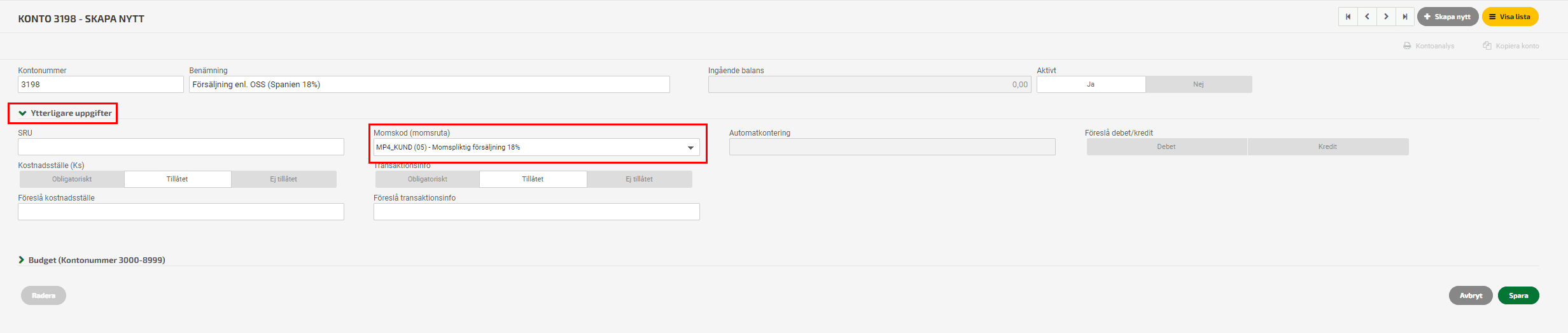
To comply with EU One-Stop-Shop (OSS) requirements, create separate sales accounts for each EU country and configure correct VAT mappings. This ensures accurate VAT posting and reporting for cross-border B2C sales.
Todo: Make a list of the sales accounts that you will use. We will need to map it during onboarding.
Fortnox Guide:
https://support.fortnox.se/produkthjalp/bokforing/oss-one-stop-shop
Note: make sure to configure VAT rates for all countries in Fortnox. Then you connect the VAT rates to the Sales Account. Then you connect the accounting account (bokföringskonto) with the VAT codes as well. Please pay attention to each step in the Fortnox article - it's mandatory to create an accounting foundation there.
5. Add payment method accounts
For proper posting of payments from providers such as Svea, Kustom, Walley, Qliro, Shopify Payments, and similar gateways, you must add each payment method (betalsätt) in Fortnox and map it to a account.
Fortnox Guide:
https://support.fortnox.se/produkthjalp/fakturering/installningar-betalsatt-och-betalningsvillkor
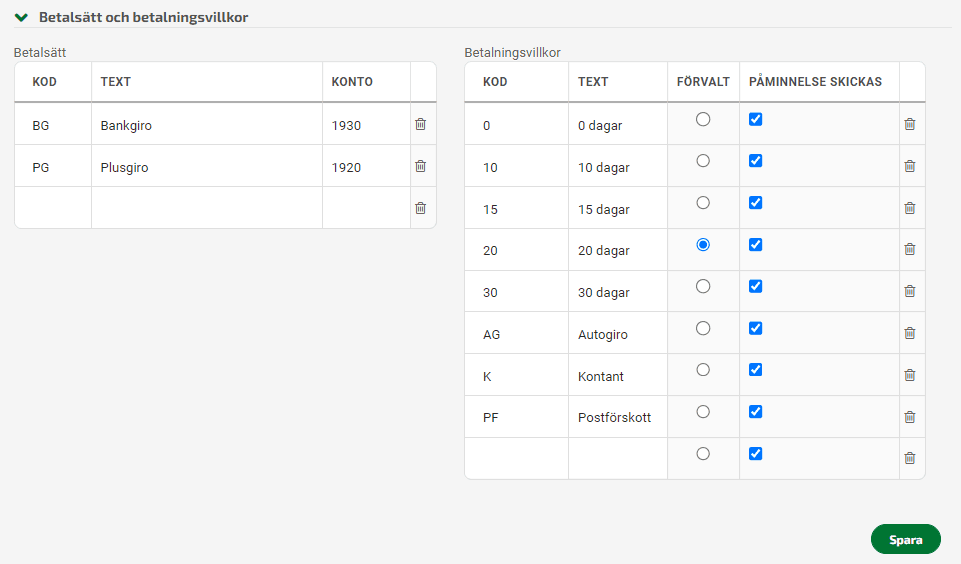
Accounting note
-
Typically, payment methods are assigned to a 19-series account (e.g., 19xx), as these represent interim cash equivalents.
-
Alternatively, some companies prefer using 15-series accounts (e.g., 15xx) to separate payment claims from cash-equivalent balances.
The payment method account should not be the same as the actual bank account. Payment provider payouts represent funds held by the provider until transferred, not immediate bank deposits.
Fortnox’s bank integration manages real bank accounts separately, which is why payment provider accounts must be mapped independently.
6. Add required SKUs / artikelnummer
This is required for creating credit notes for refunds in the e-commerce platform.
- "refund_discrepancy"
- "refund_fee"
It's used for refund fees and non product related refund order rows.