![qpbvjgyfsatax1w7v6mw.png]](https://knowledge.junipeer.io/hs-fs/hubfs/qpbvjgyfsatax1w7v6mw.png?width=300&height=91&name=qpbvjgyfsatax1w7v6mw.png)
Purpose
Decide what data you want to sync and in which direction.
Steps
-
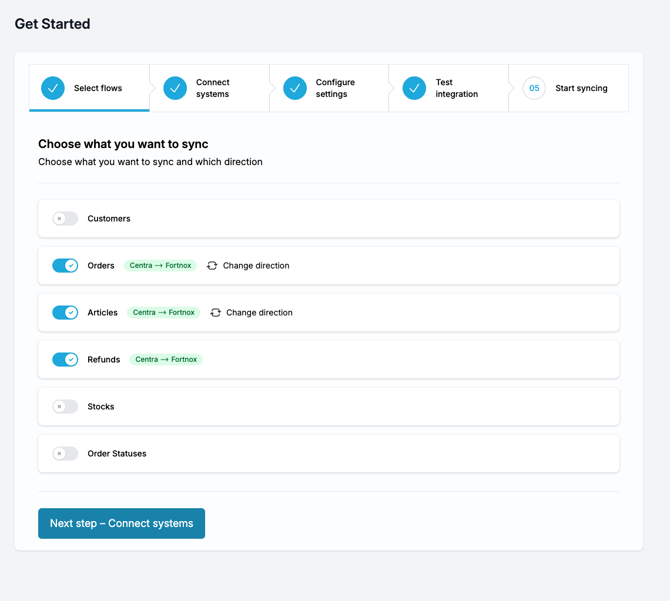
Go to the Select flows screen.
-
Turn on each flow you need (for example: Orders, Products, Refunds).
-
Each active flow shows its direction, such as System A → System B.
-
Click Change direction if you want to reverse it.
-
-
Leave any flows you don’t need off.
When you’re done, click Next step – Connect systems.