![qpbvjgyfsatax1w7v6mw.png]](https://knowledge.junipeer.io/hs-fs/hubfs/qpbvjgyfsatax1w7v6mw.png?width=300&height=91&name=qpbvjgyfsatax1w7v6mw.png)
To make it possible for Junipeer to integrate with Junipeer you need to have license for integration and permissions for orders, invoices, accounting, articles and general settings for these. Use the user with the highest permission to save on licenses and fees in your fortnox account. In this guide we will show you how to set this up.
1. Administer users
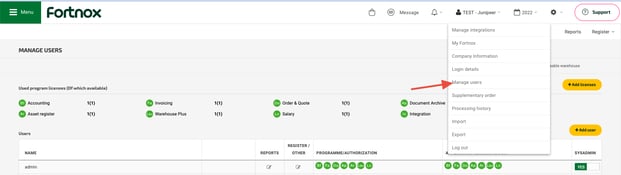
2. Add product licenses
Add licenses for integration and permissions for:
- Orders
- Invoices
- Accounting
- Integration

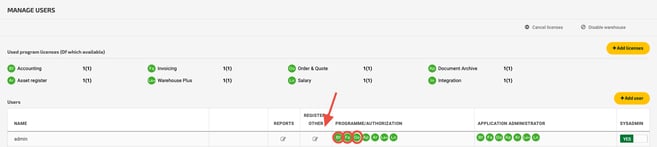
3. Assign licenses to user & Enable permissions
Select the users boxes for each license.
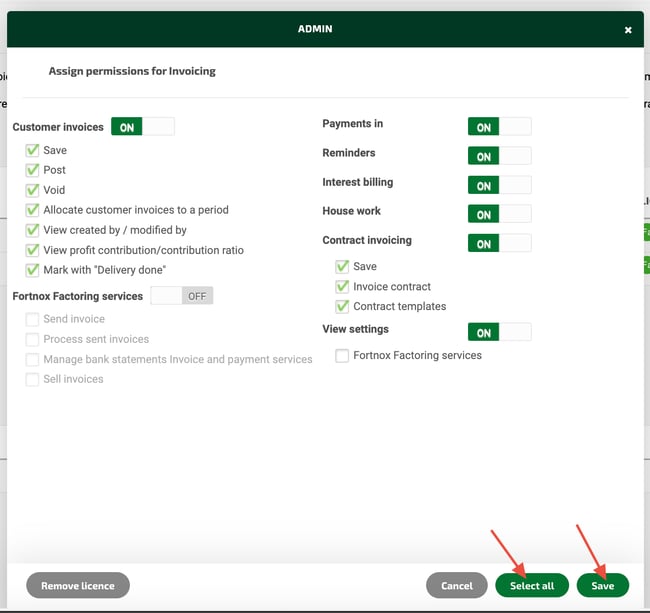
Select all and save.