![qpbvjgyfsatax1w7v6mw.png]](https://knowledge.junipeer.io/hs-fs/hubfs/qpbvjgyfsatax1w7v6mw.png?width=300&height=91&name=qpbvjgyfsatax1w7v6mw.png)
Preparation
When preparing Fortnox you make sure you have done step 4 here.
https://knowledge.junipeer.io/knowledge-base/guide-fortnox-settings-before-starting-integration
How to
In the Fortnox settings this is where you can manage the sales accounts mapping for OSS or for any other reason, ex B2B, B2C, Markets etc.
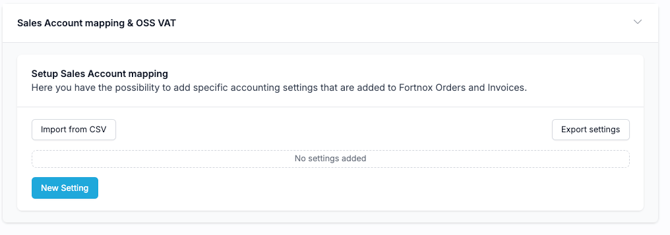
Key principle:
Use 3000-series accounts (sales accounts), not 2000-series accounts (VAT accounts).
Setting up OSS Mapping
You create an entry per country in the Sales Account Mapping section and assign:
-
Country Code
-
Default Account Number (e.g., 3000, 3001, 3002…)
- You can also set different sales accounts per VAT rate. Ex 25%, 12%, 6% etc.
Please mind that mapping your own VAT Numbers to specfic country is impossible, since there is no such field/function in Fortnox invoices. This is something that comes further down the accounting process (Fortnox settings, reporting process), not a direct setting in Junipeer.
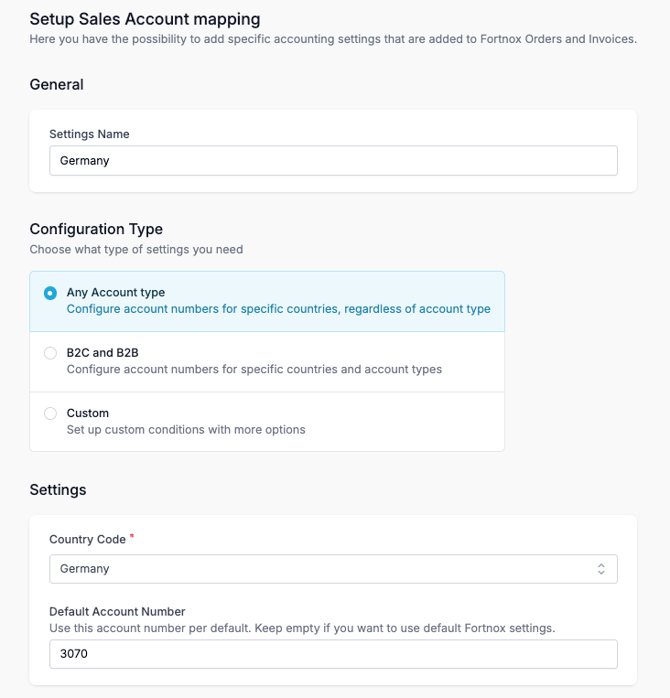
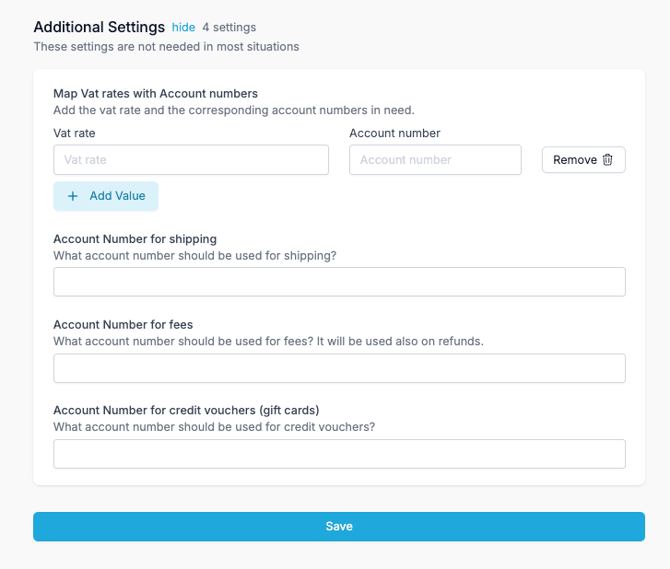
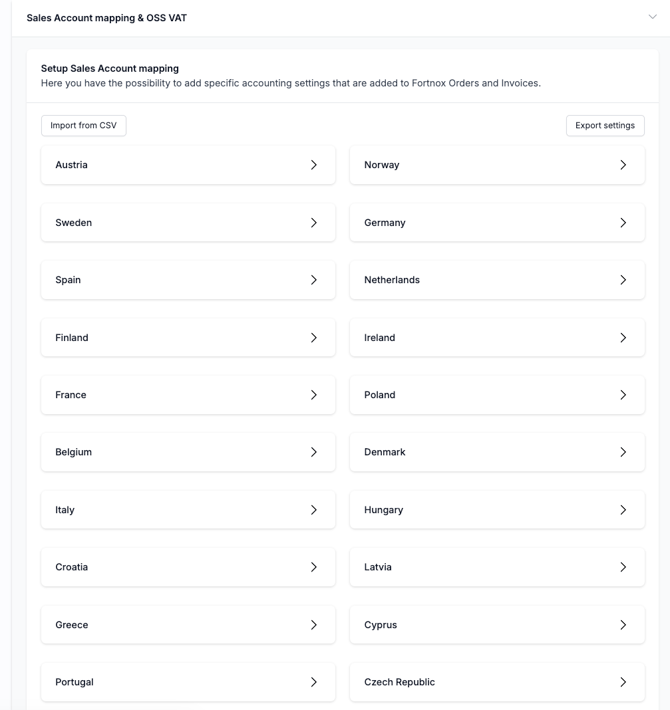
You can add non-EU countries in the same setup as well.
CSV Import Option
You can also import all sales account mappings using the CSV Import function.
The template includes:
-
Country Code
-
Default Account Number
Additional options are available if needed:
-
VAT rate mapping
-
Shipping account number
-
Fee account number
-
Credit voucher account number
Importing via CSV is recommended if you manage multiple EU markets.
Most AI models are capable of automatically creating the CSV files like these.